
Clearer daily tasks. Better operational visibility.
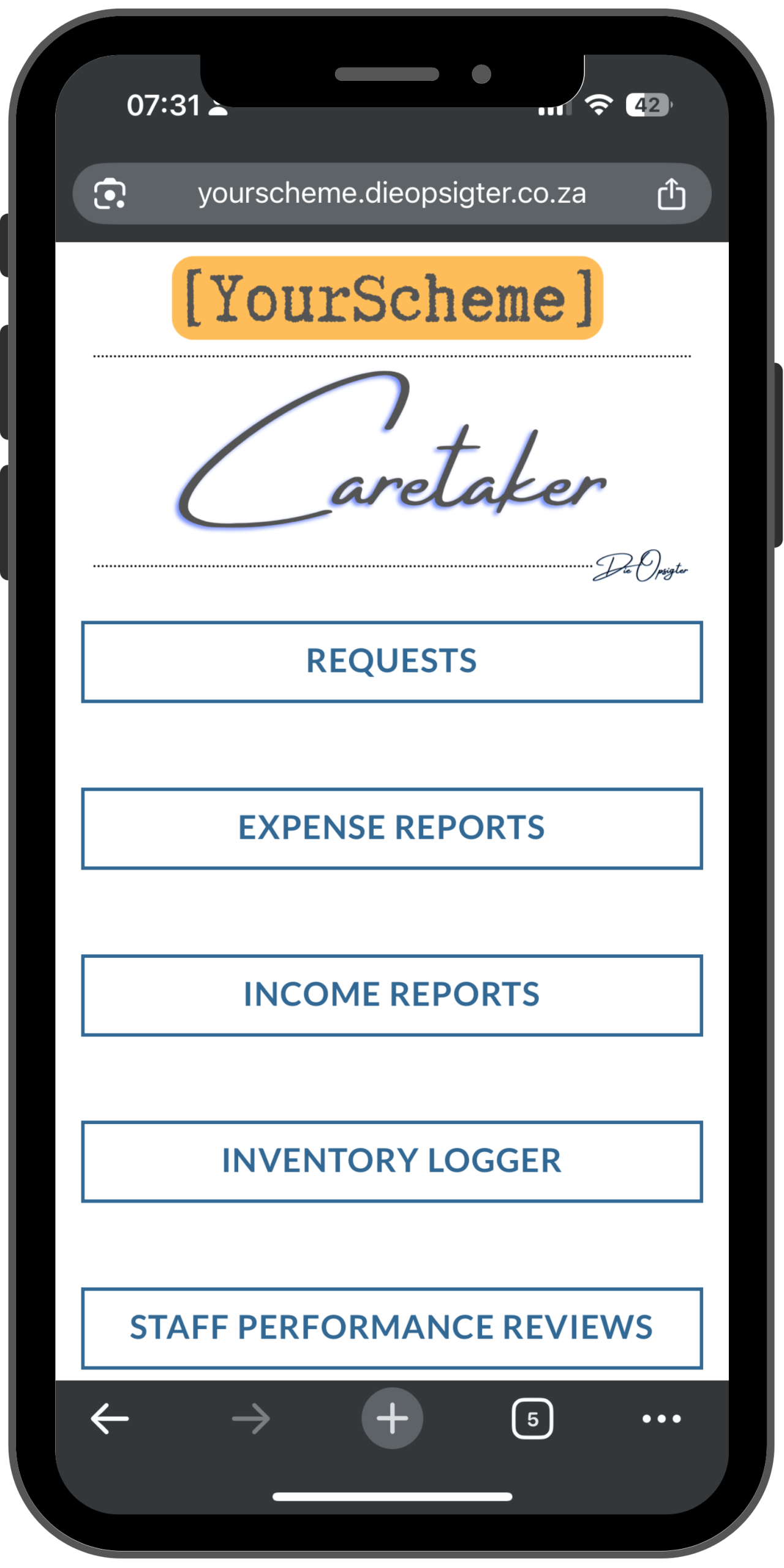
Die Opsigter gives the caretaker one structured workspace for assigned tasks, selected forms, uploads and daily records. Email workflows send tickets to the responsible people for review, while the Body Corporate Portal brings Caretaker and Resident activity into one clear view.
Daily site work becomes difficult to manage when it lives in paper notes, chats and memory
When tasks, inspections, repairs, expenses, stock and readings are not captured consistently, management cannot see what was done, what still needs attention or where problems keep returning.
Work is scattered
Tasks, requests and incidents sit across chats, notebooks, emails and verbal instructions, making the full operational picture difficult to see.
Responsibility is unclear
Without a consistent record, it becomes difficult to confirm what was done, when it happened and who was responsible.
Management lacks visibility
Trustees and managing agents often discover issues through complaints instead of receiving timely operational records and reports.
Turn everyday site activity into records management can trust
The Caretaker Portal brings assigned tasks and selected operational forms into one workspace. Submissions create structured records, email workflows route tickets for review and the Body Corporate Portal provides a combined Ticket Viewer for oversight.
Connected tools that turn daily work into reliable records
The Caretaker Portal makes daily work easier to capture. The Body Corporate Portal gives trustees and management the visibility to review activity, find records and understand what needs attention.
Caretaker Task List and Forms
Trustees, the chairperson, the managing agent or the body corporate can assign tasks to one clear caretaker board.
File Uploads
Attach photos and documents to submissions so every record includes stronger proof and context.
Email Workflows and Ticket Viewer
Review tickets through the email workflows, then use the Body Corporate Portal to filter activity by portal, form, status and date.
Inventory and Response Sheets
Log stock, tools and cleaning supplies while keeping form response sheets organised.
Readings and Operational Records
Capture readings, inspections and site checks in consistent operational records.
Accountability and Lookup Tools
Give management better visibility. Resident and vehicle lookup require the Residents Portal.
Choose the forms that match how your scheme operates
Build the portal around the categories that save time, improve consistency and create the operational records your scheme needs.
Maintenance and Requests
- Requests Form
- Maintenance Reports
- Property Inspection
- Common Property Issue Reports
- Projects Completed
- Supplier Visit Notes
Finance and Administration
- Expense Reports
- Income Reports
- Petty Cash Logs
- Purchase Requests
- Quote Requests
- Proposals
Inventory and Assets
- Inventory Logger
- Stock Usage Logs
- Tool Register
- Cleaning Material Logs
- Equipment Condition Checks
- Asset Damage Reports
Readings and Inspections
- Bulk Water Readings
- Meter Readings
- Pool Check Logs
- Pump Room Checks
- Lighting Checks
- Security Infrastructure Checks
Staff and Performance
- Staff Performance Reviews
- Staff Attendance Notes
- Task Allocation Logs
- Cleaner Checklist
- Gardener Checklist
- Security Feedback Logs
Reporting and Management
- Monthly Caretaker Report
- Completed Work Summary
- Open Issues Report
- High Activity Area Report
- Expense Summary
- Operational PDF Reports
A clearer operating rhythm for everyone involved
Die Opsigter connects the people doing the daily work with the people responsible for reviewing it, creating stronger records without adding another complicated process.
For the Caretaker
Assigned tasks, selected forms, uploads and operational records stay together in one clear workspace that is easy to use throughout the day.
For the Body Corporate
Email workflows support ticket review, while the Ticket Viewer, filters and reports provide a clearer view of activity across the scheme.
For the Scheme
Consistent records make completed work easier to verify, open issues easier to find and recurring operational problems easier to understand.
Bring daily site operations into one clear, accountable system
Give the caretaker a practical way to capture daily work while giving trustees and management dependable records, useful reports and clearer operational visibility.